Posts

Windows 7 Setup Stuck on Completing Installation
Image
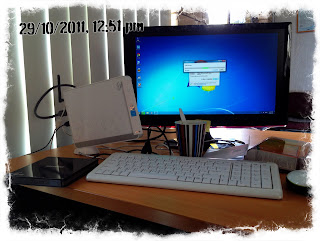
Have you ever install Windows 7 and wait for so long loooooooooooooooooooooooong on completing the installation? I did ~.~ just today when I have to work on Saturday T__T Tried to reinstall twice, with no luck, still stuck in the same place. But then I realized, from my previous experience, sometimes when you have USB device plugged into the computer, when booting the computer, Windows will have something like looping problems. For example, last time my windows crash, and then when I tried to restore the installation with my external drive attached, it is stuck on restoring for hours. In my case today, I realized I installed the windows from my external CD-Rom. It is because I re-installed Asus EEE PC in my work place which does not have CD-Rom by default.  So what I did: Do clean installation (for the third time) Wait until the setup finalized copying installation files, expanding the files, and installing the features.  Windows setup will give you fi...

What Blackberry can do, which iPhone Can't

I wrote this post because I just thought my blackberry is better :p Hahahaha.. No, I'm just kidding.. I just want to compare between two smartphones that I use currently, Blackberry Bold 9700 and iPhone 4S. What things that iPhone can not do / struggling to do (or have to use 3rd party apps): Can't change ringtone from your own music, You have to use 3rd party apps rmaker or purchase the ringtone from itunes even though you already purchased the complete song. And also using rmaker (free or paid version), the ring tone is limited to max 40 seconds. There is no sound profile. The only options are ring or silent (vibrate) I can make as many profile I want even on my old phone, so I can use it depending on my mood on the day Poor battery life Really can not compare the battery life with Blackberry. Iphone battery life only last for less than a day ~.~ No facebook contact sync My blackberry will sync my Facebook account and update the picture automatically when I connect it...

Found blogger apps on app world

This is my test post from the iPhone :D let's see how well it works.

Black border on video created by Windows Live Movie Maker

Image
Have you ever feel very frustrated because your HD video created using Windows Live Movie Maker has a black border on the sharing result? I did ~.~ Frustrated and felt desperate, I just closed Windows Live Movie Maker, and planed to buy another video editing program. But then, while I browse on internet to search alternative for Windows Live Movie Maker, I realized there is a button in this program to change the aspect ratio!! By default, the aspect ration is 4:3 which is not a widescreen format. That's why my vid came with black edge. I really don't know why Microsoft do something like this while the majority of screen produced right now are widescreen. Probably this is an old program that still come with new Windows? Anyway, to change the aspect ratio, click on view -> Aspect ratio -> Widescreen (16:9). So simple as that @_@ The result was not too bad, below you can see the example of editing that I done on Microsoft Live Movie Maker, with 1280x720 HD size. The conclusi...

How to create a good Video?

Anyone know how to create a vid like this? With the background blur and the focus always stay with the girls ~.~ LOL

Another Clicking Game (clickfan)

Image
This is just another clicking game I found at Facebook. The link of the game is http://apps.facebook.com/click-fan/ . If you have read my previous post about clicking cheat software , you will know that the program can be used for this game as well. But unfortunatelly, my program is not good enough to be able to put your name on the top 100 ranks, as the highest score on this game is 3001 clicks for normal (15 seconds). Using my cheat program, you will only able to get max around 650 as shown in the image below: So how do we able to get more than 650? What you need are: Internet explorer Cheat Engine 5.5 (download here ) Fast hand :) See the video below to show you the details on how to do it. or click on this link if the video above is not working. And here is the screenshot of the result Good luck and please only do this to make your friends curious :p
Image
Configure the WSUS Server Download WSUS 3.0 SP2 from Microsoft Download Centre Install these components, using add roles in Windows 2008: Windows Authentication Static Content ASP.NET IIS 6.0 Management Compatibility IIS 6.0 Metabase Compatibility Download and install Microsoft Report Viewer, version 2005 or later (current version is Report Viewer 2008) Download and install WSUS 3.0 SP2 (current version of WSUS) Choose full installation as we don't have any WSUS installed before. After the installation finish, it will run WSUS automatically. On the Choose Upstream Server page, select synchronize from Microsoft update (since we don't have any other WSUS server). Ensure that Launch The Windows Server Update Serveices Administration Console and untick begin initial synchronization. Click finish and you done with the basic settings. Configure the WSUS Client without joining domain Run gpedit.msc (start, run, type gpedit.msc) on client's computer. This option is only available ...