Posts

Showing posts with the label mysql

How to UPDATE multiple tables in Microsoft SQL using JOIN query

Sometimes the update query needs to target a complex query and therefore you will need to use this. SQL Syntax: UPDATE      t1 SET      t1.field = value    FROM      t1     [INNER | LEFT] JOIN t2 ON join_predicate    .. WHERE      where_predicate; And MySQL Syntax: UPDATE t1 [INNER | LEFT JOIN] JOIN t2 ON join_predicate SET T1.field = value WHERE condition

Direct link to access phpMyAdmin when cPanel is not working

Image
This happened to me today. It looks like the license of my cPanel has run out and I need to access the database in urgent. Luckily the FTP access still working so I can install phpMyAdmin manually that way. However, being a lazy person, I found a quicker and less labour intensive. To open phpMyAdmin without cPanel, you will just need to open this link: http://www.yourdomain.com:2083/3rdparty/phpMyAdmin/index.php Obviously, you need to change yourdomain.com to your correct domain and if your cPanel is on a different port, you need to change the port number as well, but other than that, the link should work.

MySQL using Command Line on PC with XAMPP installed

Image
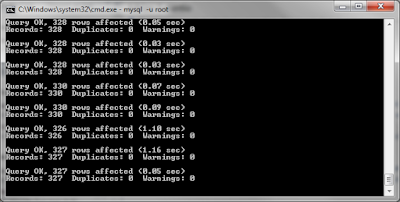
With XAMPP when you have to import a very big mysql table, even though you have increase the script time in php.ini but sometimes it still does not cut the mustard. I found out another way to do this by going through the command line interface. For this example, I am going to use ms-dos in Microsoft Windows, however you can do similar thing with SSH. Navigate to your MySQL folder (by default it should be C:\xampp\mysql\bin) Run mysql.exe with this command: mysql -u yourusername -p yourpassword. Once you are in MySQL interface, then type use dataBaseName . If the dataBase is not set yet, run this command: create database databaseName; After the new database created, type use databaseName; To import, type: source pathToSQLData.  In PC, it will be something like source C:\xampp\htdocs\backup.sql It should start importing your data now. Extra tip: In the command line, you can do all sort of other things that you usually type in phpmyadmin sql section, it will be just fas...